Get the Design Files Right to Avoid Printing Disasters — A Guide to Custom Print Design Files
Sep 16, 2026
There is an old saying in the printing industry: "30% is the printing process, while 70% lies in the file itself." The final quality of your custom print job is determined the moment you submit your file. No matter how good the colors look on your screen, if the file doesn't meet specifications, the printed result will suffer—showing off-target colors, a dull/grayish cast, misaligned cuts, or blurry text. This article explains—in the simplest terms—the key file requirements that print shops care about most and where errors most frequently occur.
I. Color Mode: CMYK is the "mother language" of printing
Screen colors are displayed by "light emission" (RGB), while printed colors are displayed by "light absorption and reflection of ink" (CMYK – four inks: cyan, magenta, yellow, and black). The color gamuts of these two methods differ; many highly saturated colors visible on screen simply cannot be reproduced with standard printing inks.
• Design in CMYK mode from the beginning; don't wait until it's finished to convert colors.
• Never send RGB files directly to the printing plant; the finished product will appear grayish and dark.
• For designs with extremely high brand color requirements (logo red, corporate blue, etc.), apply for spot colors (Pantone color code)—spot colors are mixed with special inks, resulting in a much smaller color difference than four-color simulation, at the cost of increased spot color fees.
II. Bleed and Safety Margin: Allowing for the Cutting Blade to Make a Proof
Printed materials are printed on large sheets and then cut into finished products. Cutting errors are inevitable, so two "safety measures" should be included in the design:
• Bleed: Background colors and images should extend at least 3mm beyond the finished product's edge (2mm for business cards) to prevent white showing at the edges after cutting;
• Safety margin: Text, logos, QR codes, and other key content should be at least 3mm away from the finished product's edge to prevent them from being cut off or pasted onto the edge.
Color mode
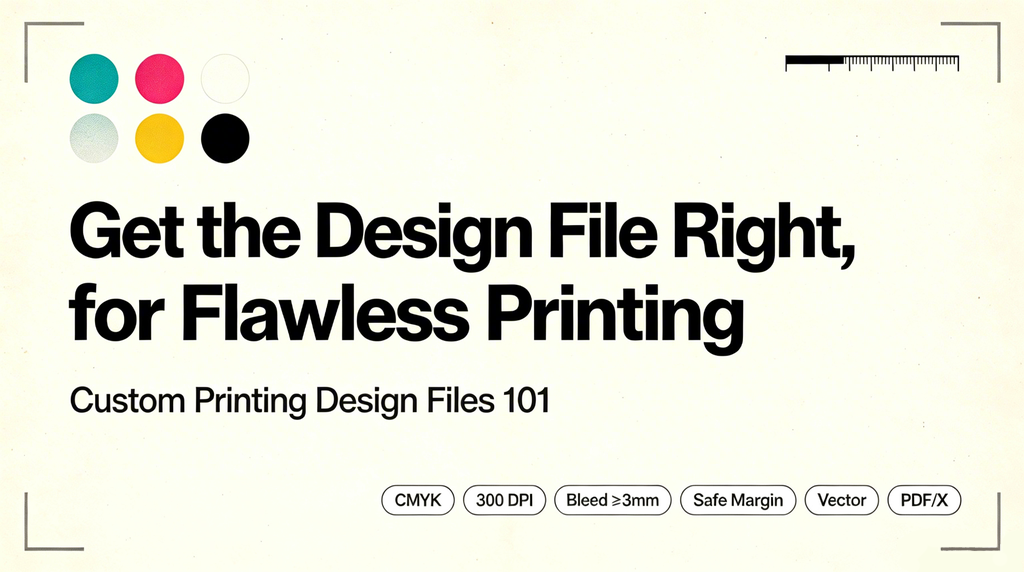
Use CMYK, not RGB.
Bitmap esolution
≥300dpi, otherwise the image will appear blurry and jagged.
Bleeding
Margins on all sides ≥3mm (2mm for business cards)
Margin of safety
Critical content ≥3mm from the edge
Font
Convert to curves or embed to prevent missing characters and garbled text.
Delivery format
PDF/X, AI, CDR
III. Resolution: 300 dpi is the minimum
For print, bitmap images (such as photos or gradients) require a resolution of at least 300 dpi—meaning 300 dots per inch. On a screen, 72dpi looks quite clear, but when magnified and printed on paper, it's full of jagged edges and graininess.
• Always use vector graphics (artwork or text created in Adobe Illustrator) rather than screenshots or low-resolution images downloaded from the web;
• Original vector files must be provided for logos and icons;
• Check the resolution of online assets before incorporating them into the layout.
IV. Font: Converting to curves is a "life-saving" operation.
Your computer has this font installed, but the printing factory's computers may not. When a font is missing, the system will automatically replace it, causing the layout to instantly become messed up – this is the most insidious point of failure in typesetting.
• Before delivery, convert all text to curves (outlines) or check the option to embed fonts;
• Avoid using overly fine typefaces for small text, and do not use multi-color overprinting; otherwise, the print may appear blurry or suffer from ghosting.
V. Delivery Format: PDF/X is the "common language" of the printing industry
Print shops prefer PDF/X (a print-standard PDF format) because it "locks" color, font, and bleed information into the file, ensuring it looks exactly the same regardless of which computer is used to open it; however, print shops in China also frequently use AI and CDR files.
• Pre-delivery checks: Text has been converted to curves, images are embedded, and there are no missing images or words;
• It's best to also attach the layered source files to facilitate modifications and resubmissions.
VI. There is more than one kind of black
• For small characters and fine lines, use single-color black (K100). Using four-color printing will result in ghosting and blurring.
• For large areas of black, use "multi-color black" (such as C40, M40, Y40, K100). Otherwise, the printed area will appear grayish and not transparent.
VII. Pre-submission self-checklist
♦ Color mode: CMYK
♦ All bitmaps are 300dpi or higher
♦ Bleed ≥ 3mm, safety margin ≥ 3mm
♦ Fonts are converted to curves or embedded
♦ Images are embedded, no missing images
♦ Files are PDF/X or the printer's specified format
♦ Brand colors have been confirmed with spot color numbers
♦ Content has been proofread at least twice (contact information, prices, and QR codes are most prone to errors)
Here’s the bottom line: Get the file right, and the printing process will be a breeze. Design files serve as the "blueprints" for printed materials; if the blueprint is flawed, even the most advanced machinery cannot produce a high-quality result. Keep these key points in mind, and you’ll be more professional than most people the next time you order business cards, brochures, or packaging.
Read More